How Accurate Is IP Geolocation? What an IP Lookup Really Reveals
Why does your IP address show the wrong city? Learn how to read location and network results, troubleshoot mismatches and build interfaces that respect uncertainty.

You open an IP lookup while sitting at home, and it places you in another city. Your connection works, the country looks plausible, and the coordinates have several decimal places. Which part should you trust? Start by separating what the website observed from what a location database inferred.
This guide explains the result you actually see: country, city, coordinates and network details. It also gives you a practical way to investigate a mismatch without treating every unexpected result as a security incident. For developers, the same distinctions help prevent misleading maps and frustrating automatic location choices.
How accurate is IP geolocation? Ask what “accurate” means
There is no single accuracy percentage that applies to every lookup. Identifying a country and placing someone within a particular city are different tasks. A useful evaluation must specify the provider, the network types, the tested locations and the distance that counts as a correct result.
MaxMind’s accuracy explanation describes variation across countries, internet providers, mobile connections and IP versions. It also explains that a VPN result may describe the VPN server rather than its user. These limitations explain why a plausible country and an incorrect city can appear together; they are not a benchmark for Genory’s provider.
When comparing services, ask what decision the estimate will support. A suggested country in an editable form has a different cost of error from a delivery address or an access restriction. For the latter cases, an attractive map does not supply the missing evidence. Decide what level of uncertainty your feature can tolerate before choosing its behavior.
Read the fields as separate pieces of evidence
Genory’s IP Lookup displays the queried address together with location and network information when available. Its geolocation source is IPWHOIS. The provider documentation defines latitude and longitude as approximate and distinguishes location fields from connection information. Not every field offered by the provider is exposed in Genory.
| Field | What it tells you | How to use it |
|---|---|---|
| IP address and version | The address queried, in IPv4 or IPv6 form | Confirm that two results refer to the same address |
| Country, region and city | Location labels returned for that address | Treat them as estimates and allow corrections |
| Latitude and longitude | Approximate coordinates associated with the IP | Do not turn them into a claimed home address |
| Timezone | A timezone associated with the estimated location | Keep a user-selected timezone authoritative |
| ISP and organization | Provider-supplied network organization details | Use them to investigate the connection path |
| ASN | An autonomous system identifier | Compare network context, not personal identity |
| Hostname | A reverse-DNS name, if one is available | Do not assume it is a website visited by the user |
More decimal places do not mean more certainty
A coordinate can be written very precisely while still representing a broad estimate. Formatting and confidence are separate things. If your interface draws a sharp pin, label the result as approximate and avoid adding a street address through reverse geocoding: that would make the display look more certain without improving the original evidence.
Some geolocation products supply additional uncertainty metadata. MaxMind’s response reference defines an accuracy radius in kilometers and explains missing location values. That is a product-specific field, not a universal property of IP lookups. Genory currently displays neither an accuracy radius nor a confidence percentage, so you should not invent either from the coordinates.
An ASN describes routing context
An autonomous system is a network or group of networks with a common routing policy; an ASN identifies it. Cloudflare’s networking explanation provides the background. For troubleshooting, a changed ASN can help you notice that you are comparing different network paths. It does not tell you which individual is behind an address, or establish that the connection is safe or unsafe.
Why does my IP location show the wrong city?
The visible network exit may be somewhere else
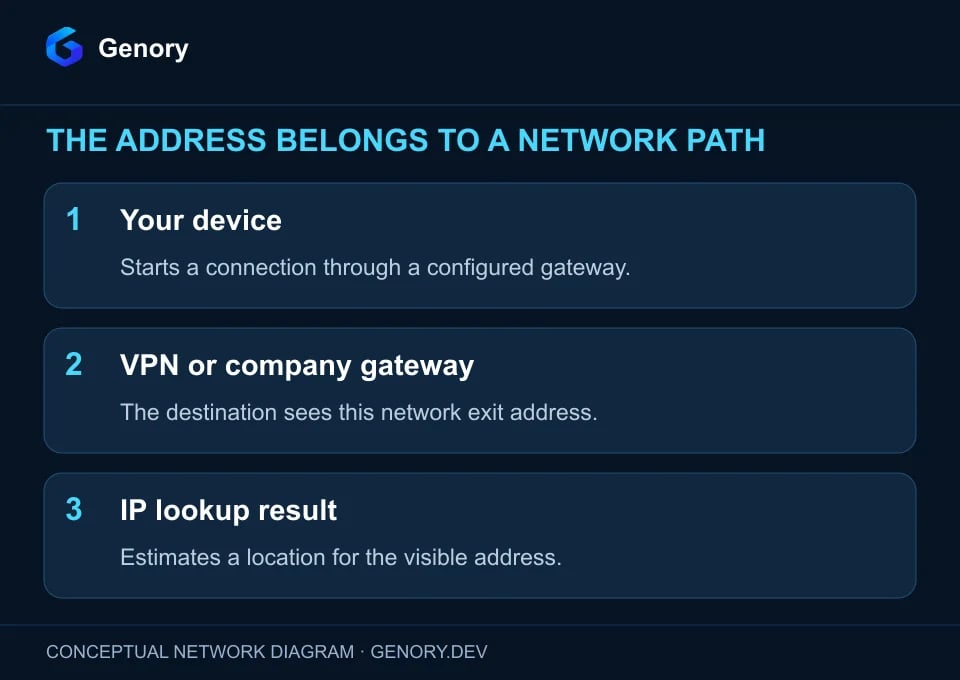
With a VPN or a centrally routed corporate connection, traffic can leave through an intermediary. The lookup concerns the address visible on that path. As a practical example, imagine working from one city while your company routes browser traffic through another office. Comparing the displayed city to your desk location alone would overlook the network setup.
Mobile and shared networks complicate the picture
A mobile address can serve users across a substantial area, so a city estimate may not describe the handset’s current position. Separately, carrier-grade NAT allows subscribers to share public IPv4 resources; RFC 6598 documents shared address space used in that architecture. Sharing is another reason not to equate a public address with one person or device.
A privacy relay can change what Safari exposes
Apple’s Private Relay overview describes two relays and a temporary IP address for the connection to the destination website when browsing with Safari. That matters when comparing browsers or network settings. Do not assume that a Safari observation describes every application on the device, or that the feature behaves exactly like a general-purpose VPN.
The database may have limited or different information
Providers can disagree about a city or omit it. MaxMind explicitly recommends falling back to less granular information when finer details are unavailable. If one service supplies a city and another returns only a country, the additional label is not proof that the first service is more accurate. An honest missing value is preferable to unsupported precision.
IP lookup and browser location are different mechanisms
A website can look up the public address associated with an incoming connection without asking for browser Geolocation permission. That does not mean it has received your device’s precise position. The permission prompt belongs to a different mechanism: the W3C Geolocation API, which provides device-associated location with the user’s permission.
Browser geolocation can draw on several sources, including satellite positioning and network signals; it is not simply another name for GPS. The API includes position accuracy and timing information, but does not guarantee the device’s actual location. A user can deny access, and obtaining a position can fail.
| Question | IP lookup | Browser Geolocation API |
|---|---|---|
| What is the input? | An internet address | Device-associated location supplied through the browser |
| Is a Geolocation permission grant required? | No | Yes |
| What uncertainty is available? | Depends on the provider and product | Coordinates include an accuracy value |
| Does it prove a home address? | No | No |
| What should the interface offer? | An editable location suggestion | A clear purpose and an alternative when unavailable |
For example, a store finder might offer a typed town or postal code first, with an optional “Use my location” action. That keeps the task usable for someone who declines permission or gets an unhelpful estimate. A country suggestion from an IP lookup should not silently overwrite the place they have already chosen.
A practical checklist when your IP location looks wrong
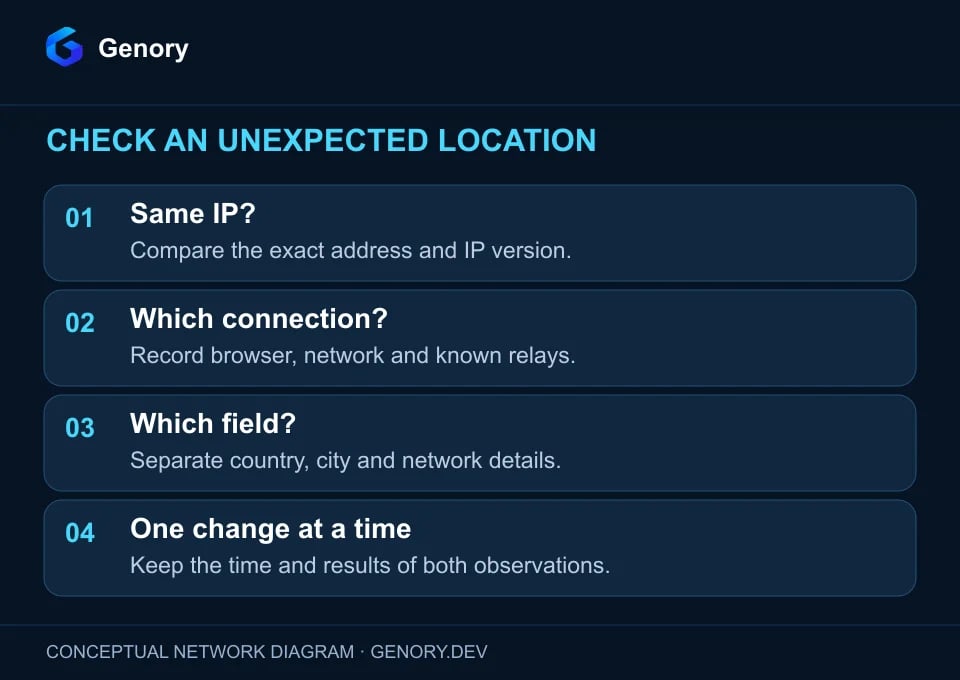
- Confirm the address. Copy the full queried IP and note whether it is IPv4 or IPv6. Compare the same address across results, rather than two pages that may have observed different connections.
- Record the context. Note the time, browser, Wi-Fi or mobile connection, and any VPN, company gateway or privacy relay you know is active.
- Separate the mismatch. Is the country unexpected, only the city, or just the provider name? Write down the exact field instead of reporting “everything is wrong.”
- Compare a controlled change. If permitted, compare another connection or an approved network configuration. Change one thing at a time and keep both observations.
- Keep missing data visible. An absent city or hostname is not evidence of a hidden identity or a broken device. Distinguish a missing field from a failed lookup.
- Report the useful evidence. For a persistent problem, share the queried address, time, provider and incorrect field privately with the relevant support team. Ask about its correction process.
Genory shows the public IP observed for its request. It does not independently test both IPv4 and IPv6 connectivity. You can enter a supported public address manually, but a private LAN address is not a meaningful public geolocation query. Genory rejects private, loopback and other unsupported ranges instead of presenting a supposed public location for them.
The lookup sends the public address to the external provider and attempts reverse DNS for a hostname. Browser information shown locally is separate from that lookup and is not a GPS reading. Check the tool’s explanation and privacy information before sharing an address you are investigating. For a useful support ticket, follow the same evidence-first approach as our reproducible bug report guide.
For developers: design for uncertainty and failure
Treat a location response as a suggestion with a source, rather than a definitive attribute of an account. In a settings form, for example, display “Suggested country” and let the person change it. Preserve their explicit choice on later visits instead of replacing it whenever their network changes.
Keep three states separate in your application: a successful lookup with a city, a successful lookup without a city, and a lookup that failed. They need different interface behavior. None should become a fictional city, a zero-coordinate pin, or a blanket assumption that the visitor is suspicious.
| Test case | Expected interface behavior |
|---|---|
| Country available, city absent | Show the country without fabricating a city |
| User already chose a region | Preserve the user’s selection |
| Provider timeout or rate limit | Keep the task usable and explain temporary unavailability |
| Network changes between visits | Reconsider the suggestion without rewriting saved preferences |
| Unexpected city from a known VPN path | Present approximate network context without claiming a leak |
| Keyboard or small-screen use | Keep location controls and result tables readable and operable |
Build these cases with saved responses and explicit expected outcomes. You do not need a real customer’s address or an unreliable live network change to test how an empty field renders. Our API test fixtures guide explains how controlled inputs make failures easier to reproduce. Reserve live lookups for checking integration behavior, within provider limits.
Frequently asked questions
Can an IP address reveal my exact location?
An ordinary IP geolocation lookup does not reliably reveal your street address. It returns network-associated location estimates. That does not make internet activity anonymous: this article describes lookup results, not what a service might learn from an account, a submitted address or other information you provide.
Why do two IP lookup websites disagree?
First confirm that both queried the identical address. Then consider that the services may use different location sources or expose different levels of detail. Keep the provider and observation time with your comparison. Do not choose the answer you prefer and call that a verification.
Can I fix the location by changing my computer’s clock?
A local clock setting does not edit the remote provider’s IP record. Correct the device’s clock if it is wrong, but investigate a location mismatch through the address and lookup source. Similarly, a timezone displayed in a lookup should not be treated as proof of the timezone selected on your device.
Should a missing city stop me from using a website?
For a feature that only needs a location preference, offer a manual choice. A lookup result should help someone finish their task. If the estimate is missing or surprising, the most useful next step is often a clearly labeled field they can correct, not a more elaborate map.