Choose a generation workflow before choosing a plan
Match single records, exports and automated API tests to the allowances your workflow actually uses.
Match single records, exports and automated API tests to the allowances your workflow actually uses.
Begin with one representative record
Use a single result to check the fields, country coverage and format your application expects. A larger allowance is useful only after the output fits the job. Inspect banking notices and missing-field behavior early, especially if your import process expects every field to be populated.
Separate exploration from repeatable work
Manual exploration often needs only a few records. A repeatable import test may need an export, while continuous integration may need API access. Estimate those workloads separately so you do not choose a plan based only on the largest batch you could theoretically request.
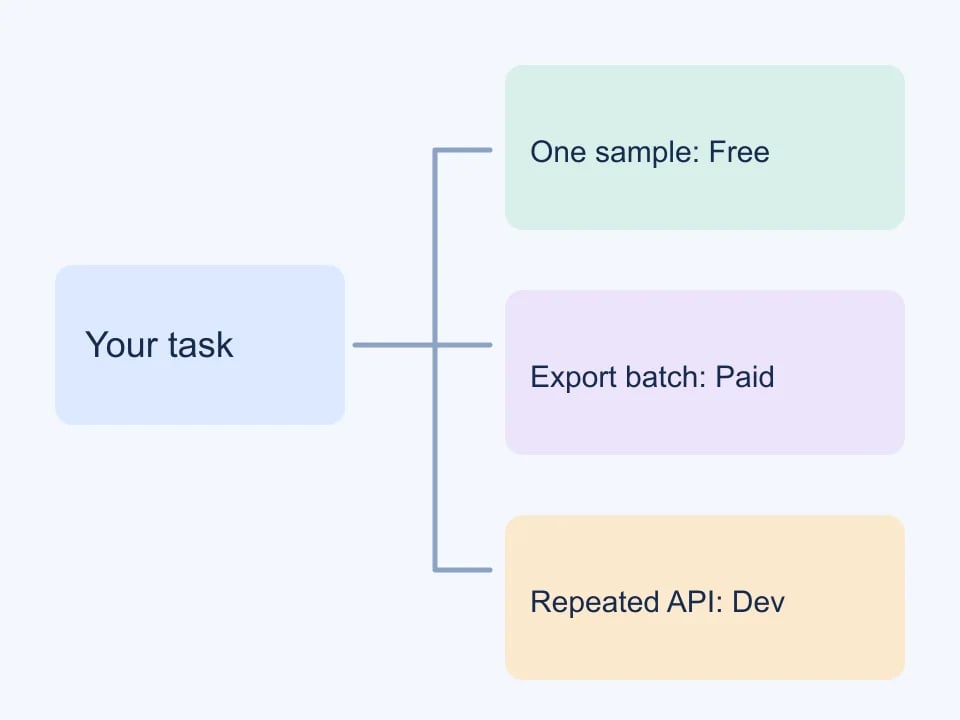
Understand the Free boundary
A Free account generates one record per request with a daily allowance of 20 records. Guests have five per UTC day. Individual copying is available; file exports and larger batches require active paid access. These limits make it possible to evaluate output before committing to a larger workflow.
Use paid access where it changes the workflow
Pro adds larger batches, CSV and JSON exports and extended bank selection. Developer adds a larger allowance shared by website and API generation. Free and Pro accounts have a separate 100-record lifetime API trial. Replacing an API key does not replenish that trial, and exporting an existing result does not generate additional records.
| Workflow | Useful capability |
|---|---|
| Inspect one sample | Free single-record generation |
| Populate an import | Paid batches and export |
| Choose a supported bank | Active paid bank selection |
| Automate repeated generation | Developer shared API allowance |
Check dates as well as the plan name
The dashboard shows the assigned package, start, end and remaining duration. Scheduled access begins at its start time; expired access uses Free limits. Allowances renew in 30-day periods for active paid packages. An administrator changing the package start can also change the allowance period, so review the displayed dates when an adjustment is made.
Worked example: from one form check to a repeatable import
Consider a developer who needs to check an address form today and prepare a repeatable import next week. These are different tasks even if both begin with synthetic data. The first may need one copied value. The second needs a saved file, an agreed schema and a way to compare results. Choose the workflow from the output you need, then check the current plan capabilities. A larger allowance does not automatically make a test better.
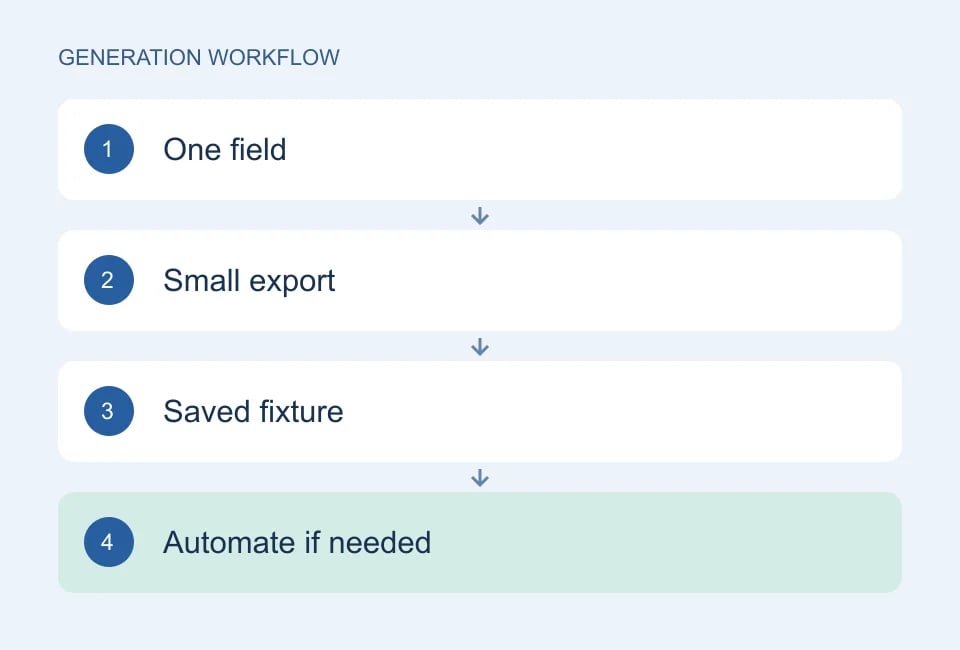
Start with one copied value
For the first form check, open the relevant generator, select a country and inspect one result. Copy only the fields required by the form. Note the validation outcome and any layout issue. There is no reason to build an API integration merely to check whether a single postal-code field preserves text. If the result is useful, keep it in your own test notes because leaving the page does not create a retrievable archive of generated data.
Define the import schema
For the import task, write down the required columns before generating a batch. A complete profile and a custom dataset are not interchangeable: the profile offers connected fields, while Test Data Builder lets you define a column schema. Decide which behavior you need. Check the export format your receiving application accepts and whether values such as identifiers must remain text. Run a small file through the complete process before preparing more records.
Save settings and output separately
If a colleague needs to repeat your setup, save the generation options as a preset where the tool supports it. Also save the actual approved output if exact repetition matters. A preset describes what to generate; it does not preserve the original random records. Document which settings are fixed and which values may vary, so the colleague does not mistake a new result for a regression.
Automate the appropriate step
Use an API workflow when generation must be integrated into a script or controlled pipeline. The current Genory API requires Developer access; browser exports do not automatically require an API plan. Keep the key outside source control and check response statuses before saving a fixture. For ordinary regression tests, reuse reviewed data rather than consuming fresh records on every assertion.
| Desired outcome | Starting workflow | Check before scaling |
|---|---|---|
| One value for a form | Generate and copy | Does it exercise the intended field? |
| A reusable import file | Small batch and export | Do schema and types survive import? |
| A saved configuration | Preset where supported | Is actual output saved separately? |
| Scripted fixture creation | Authenticated API | Are errors, allowance and secrets handled? |
| Custom table columns | Test Data Builder | Does the receiving schema match? |
Choose the smallest workflow that produces evidence for the task in front of you.
Estimate work in records, not button clicks
Write down the number of new records your workflow actually needs, including repeat attempts and intentional regeneration. Website and API generation can share a plan allowance, so treat them as parts of one budget rather than unrelated pools. Re-downloading an existing result and creating a fresh batch are different operations. Use the current pricing and account screens for exact limits instead of relying on a number copied into an old tutorial.
Define a stopping point for the experiment. Once the small fixture demonstrates that the import works, expand only to answer a new question such as pagination, mixed formats or performance. A thousand similar rows may hide the one edge case you needed. Keep the focused cases as named fixtures, then use a larger dataset separately when measuring behavior at scale. Record the size and environment if you report a performance result.
Compare the current plans and allowances, API documentation, and Test Data Builder. This walkthrough is a product-use example, not a promise of a particular quota or performance result.
Keep billing questions in one place
When checkout is enabled, access activates after the payment is verified, not merely after returning from a payment page. For an unresolved payment, check Subscription and open a support ticket with the order reference. Do not send wallet recovery phrases or pay again before checking the first payment. See Pricing for current package details and availability.
Continue with Genory tools, review documentation, or open your dashboard.