Synthetic test data that actually tests your application
Design focused fixtures, isolate external services and build repeatable tests with synthetic profiles.

Start with the behaviour you want to test
A convincing name and address can make a prototype feel finished. They do not, by themselves, make a useful test case. Useful synthetic test data starts with a question: what should this screen, service or workflow do under a particular condition? A checkout form might need a long surname, an address without a region, and a phone number with an international prefix. A reporting screen might need an empty result, one record and a large result set. Those are different tasks, even when all three screens accept a customer profile.
Before generating anything, write down the behaviour you expect. For example, a postal-code field should preserve meaningful leading zeros, and a table should remain readable when a company name wraps over two lines. This small preparation step turns a collection of plausible-looking records into a repeatable exercise. It also makes failures easier to explain: you can point to a specific expectation instead of saying that the data looks strange.
Separate realism from correctness
Realism helps people understand a demonstration. Correctness means the data satisfies the particular rules being tested. A realistic street name might not exist. A correctly formatted telephone number might belong to someone. A synthetic email address might accidentally use a real domain. Treat generated values as fixtures, not as permission to contact an individual or start a transaction.
Genory's Test Data Generator combines localized fields and exposes quality notes where the underlying coverage is limited. Read those notes before making assertions. Linked city and postal information is more useful than independently randomized fields, but it still does not turn a complete profile into a verified identity. Your application should distinguish a format check from an external verification step.
A test record describes a scenario. It does not establish a real person's identity.
Build a small scenario matrix
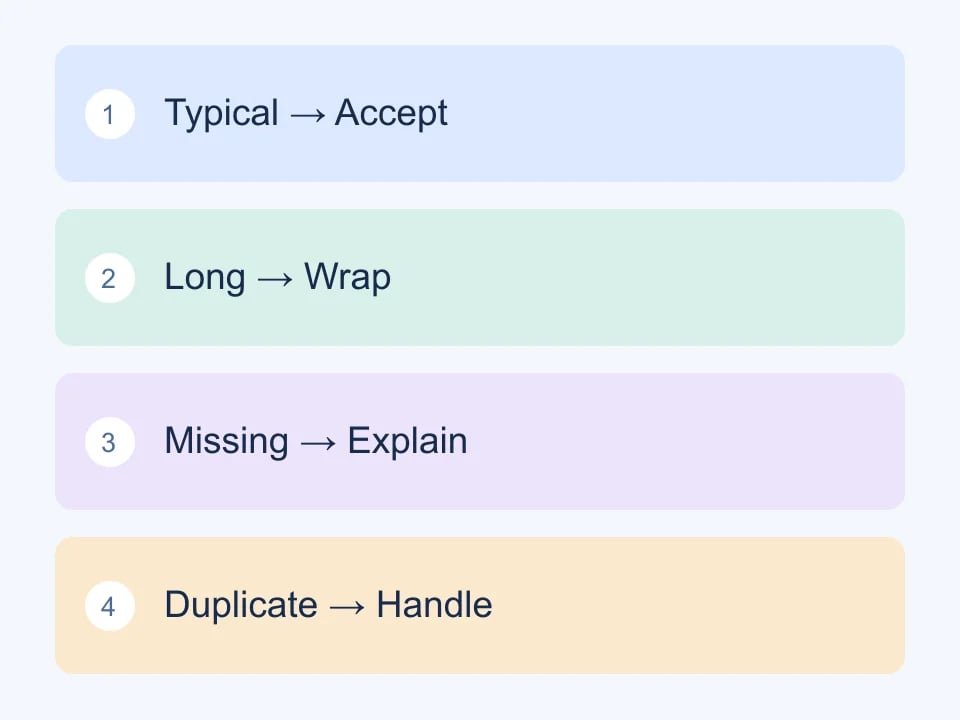
Start with ordinary cases and then add deliberate variations. You do not need a thousand records to discover a layout that clips a long name. You need one record with the right long name and a clear expectation about wrapping. Keep your matrix close to the feature specification so another developer can reproduce the same conditions later.
- A typical record that follows the main workflow.
- A record with the longest values your interface supports.
- A record with optional fields absent.
- A record from a second locale with different formatting conventions.
- An intentionally invalid record that should produce a useful error.
- A repeated record that exercises duplicate handling.
Keep your test environment isolated
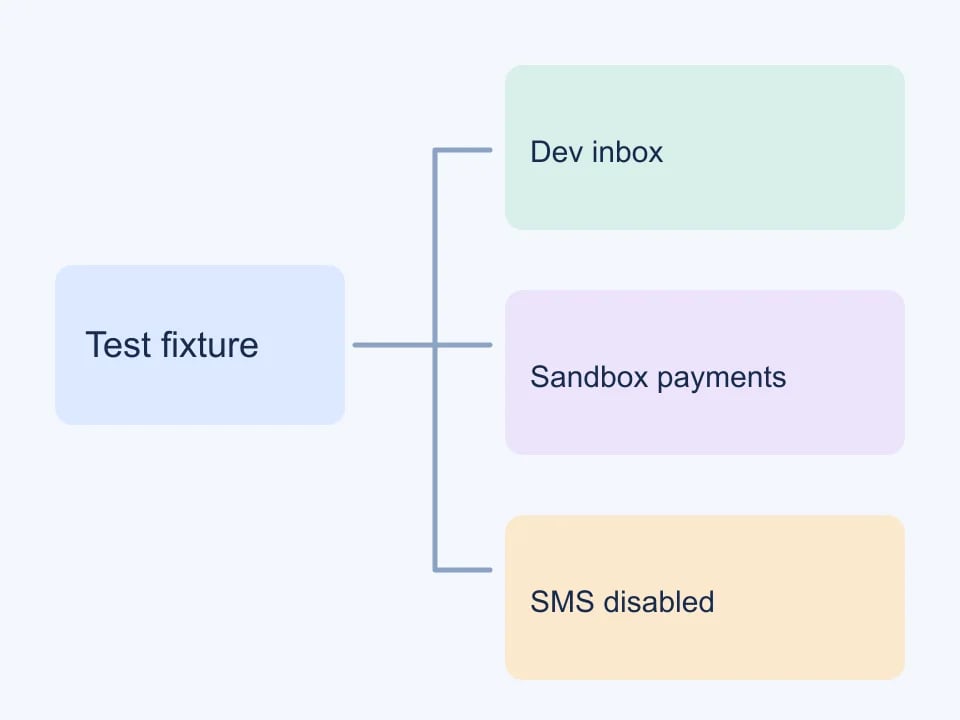
Generated data is particularly useful when the application cannot accidentally interact with the outside world. Route outbound email to a development inbox. Replace payment calls with a provider sandbox. Disable real SMS delivery. These boundaries protect against accidental collisions between generated strings and real contact details, while giving you a place to inspect the messages your software would send.
Make the isolation visible to the team. Put a clear environment label on staging and use separate credentials from production. If an integration has a test mode, verify that its endpoint and credentials both belong to that mode. A banner alone cannot prevent a mistakenly configured background job from contacting a live service. Test the boundary with a harmless fixture before running a large batch.
Prefer stable fixtures for regression tests
Fresh random values are excellent for exploration, but a failing regression test should be reproducible. Once a generated record exposes an interesting problem, save a sanitized fixture in the test suite with a descriptive name. Explain which property matters, such as a multi-part surname or an unusually long company name. Avoid assertions against incidental details that have nothing to do with the feature.
A useful fixture can be small. If the test concerns a phone-field layout, it probably does not need an IBAN, birth date and job title. Selecting only the fields you use makes the purpose clearer and reduces the number of unrelated changes that can break the test. Genory's field selection and API documentation help you request a narrower record.
Choose an export format deliberately
JSON is a natural choice for application fixtures because it preserves object structure. CSV is convenient for spreadsheet review and bulk imports, but every importing application has its own assumptions. Check delimiters, quoting, line breaks and text encodings with a small file before exporting a large collection. Treat identifiers and postal codes as text where leading zeros matter.
When someone opens a CSV in a spreadsheet, cell contents can be interpreted rather than merely displayed. That is one reason export handling belongs in your test plan. Confirm that the application neither transforms a long identifier into scientific notation nor treats a text field as a formula. Then test the same file through the actual import path your users will use.
Review quality before increasing volume
Large batches amplify assumptions. Review a handful of records first, checking which fields are correlated, which are independent and which carry explicit quality limitations. For international work, use the country directory to choose relevant locales, then test your own interface with those records. A successful generator response does not prove that your database schema can store every character without loss.
Finish by recording what you learned. Keep the fixture, the expected result and the environment configuration together. If a field is intentionally synthetic, preserve that context when it moves into a ticket or design review. The aim is not to create the most convincing fake customer. It is to make a software behaviour understandable, testable and repeatable without using a real customer's information.
A practical handoff checklist
Before sharing a fixture set, remove unnecessary columns and include a short note describing its purpose. State whether values are randomized or fixed, which environment should receive them, and which fields need special handling. Ask the next person to run one record through the workflow before importing the full set. That first pass often reveals a mapping problem more quickly than a long discussion about the generator.
For teams maintaining several applications, keep a small shared catalogue of scenarios rather than a single enormous generic dataset. An address-editing scenario and a subscription-renewal scenario can share a synthetic customer identifier while keeping their own focused fixtures. This makes changes easier to review and reduces the temptation to copy production records merely because they already contain every possible field.
| Boundary | What to verify |
|---|---|
| Generation | Coherent synthetic fields |
| Your application | Expected validation and storage |
| External service | Isolated test environment |