
Do QR Codes Expire? Static vs Dynamic QR Codes Explained
Understand what can stop a QR code working, choose between direct links and redirects, and use a practical checklist before printing.
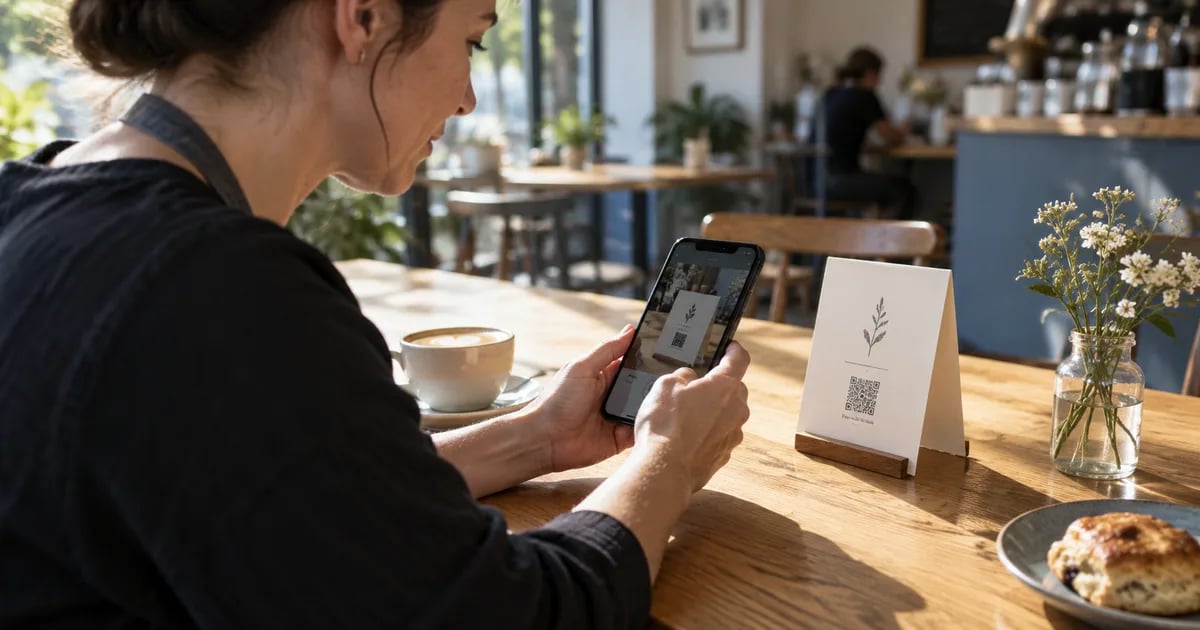
You print a QR code on five hundred flyers. A few weeks later, someone says it no longer works. Has the code expired, did a trial end, or is the website simply broken? Those possibilities need different fixes. Before you buy another service or reprint anything, separate the printed pattern from the information inside it and the service that opens afterward.
This guide focuses on everyday business uses: menus, flyers, business cards and website links. You will learn what static and dynamic actually mean, when an existing print can be rescued, and what to check before committing to a large print run.
What does a QR code actually store?
A QR code encodes data in a pattern that a reader can decode. That data might be plain text, a website address, contact details or Wi-Fi connection information. The reader interprets what it finds. A website address normally opens a browser; other formats may offer a different action depending on the scanning application.
The distinction matters because the image is not the website. A code containing a URL can remain perfectly readable after the page at that URL disappears. Conversely, a working website cannot help if the printed code is too damaged to decode. An expiring login token or temporary download link can also become invalid while the surrounding QR pattern remains unchanged.
Static vs dynamic QR codes: where does the change happen?
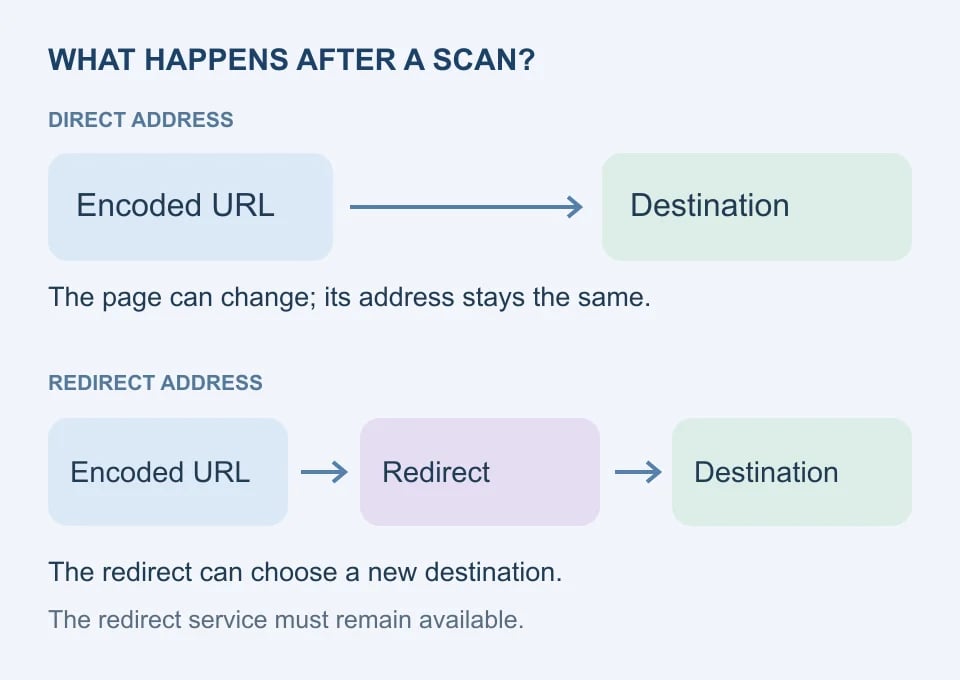
A static code contains the data you supplied when you generated it. If that data is a direct URL, scanning retrieves that address. Updating the printed pattern requires a new image and, for physical material, a new print. Updating content served at an address you control is a separate operation and does not require changing the pattern.
A service described as a dynamic QR generator typically encodes an intermediary URL. The service receives the request and redirects the visitor to a destination you can change in its dashboard. The paper stays the same because the intermediary address stays the same; the change happens on the server.
| Question | Direct URL in the code | Redirect URL in the code |
|---|---|---|
| Where does the scan lead? | The encoded web address | An intermediary address, then a destination |
| Can page content change? | Yes, if you control the page | Yes, at the destination |
| Can the destination address change? | Only through handling at the encoded address | Through the redirect configuration |
| What must remain available? | The encoded domain and route | The redirect domain, service and destination |
| Does the label promise unlimited life? | No | No |
These are link architectures, not two kinds of magically editable ink. A static generator can encode a redirect URL that you manage on your own website. Equally, a code created without an account can still depend on a third-party shortener if you pasted that short link into it. Inspect the actual encoded address before deciding which dependencies you have.
Do dynamic QR codes expire when a subscription ends?
There is no universal answer. Check the specific provider’s current rules for cancellation, trial limits, deletion and custom domains before printing. Ask whether the redirect keeps resolving, whether only editing or reporting stops, and whether any scan allowance affects visitors. Do not infer those terms from the word “dynamic.”
Bitly’s official documentation provides a useful counterexample to blanket expiry claims: it says its QR codes do not expire, but deleting the code or associated link stops it working. Custom-domain operation also depends on the domain remaining correctly configured and attached to an account. These are Bitly’s documented conditions, not a guarantee for another service.
Five reasons an apparently valid code stops working
1. The page moves or disappears
A redesign can remove the route printed on a poster. Preserve that route or configure an appropriate redirect to its replacement. Test the old encoded address itself, not only the new page. A homepage that loads successfully does not prove the printed menu link still works.
2. A domain or redirect is no longer maintained
Domain registration, DNS, HTTPS and the redirect service all sit between a scan and a useful page. A domain lapse or broken configuration may prevent access even though the reader correctly recognizes the code. Keep ownership and renewal responsibilities documented, particularly when an agency created the original link.
3. The encoded link was temporary
A signed file link, one-time invitation or session-dependent address may be inappropriate for public print. Try the address in a private browser window without your account session. If the intended audience cannot open it there, investigate access requirements before assuming a QR generator can solve them.
4. The stored information becomes outdated
A Wi-Fi code can still decode after the network password changes, but its old credentials will no longer connect people. A contact code may continue offering an outdated phone number. Correct the underlying data and regenerate the image when that data is embedded directly, rather than retrieved from a maintained webpage.
5. The physical pattern becomes hard to read
Fading, glare, creases, small printing and cropped margins can prevent decoding. Error correction offers some resilience, but does not make every damaged code recoverable. DENSO WAVE explains that correction levels concern encoded codewords; they are not permission to cover an arbitrary percentage of the visible square with a logo.
Can you change a QR code after printing?
First decode it and write down the exact payload. If it contains a web address you control, you may be able to keep that address and replace the content there. You may also configure a redirect at that address. If it contains a managed redirect, use the authorized service dashboard and test the result from the original print.
If the payload is plain text, old Wi-Fi credentials or an address you neither own nor can configure, changing a different website will not update the paper. You generally need a replacement code or a new label. Do not purchase an editing feature expecting it to rewrite data already printed by another system.
A practical example: a menu that survives updates
Imagine a cafe whose menu changes weekly. Instead of encoding a dated PDF filename, the owner chooses a stable menu route on the cafe’s own website. The examples below use a reserved example domain; replace it with a real domain you control before generating anything.
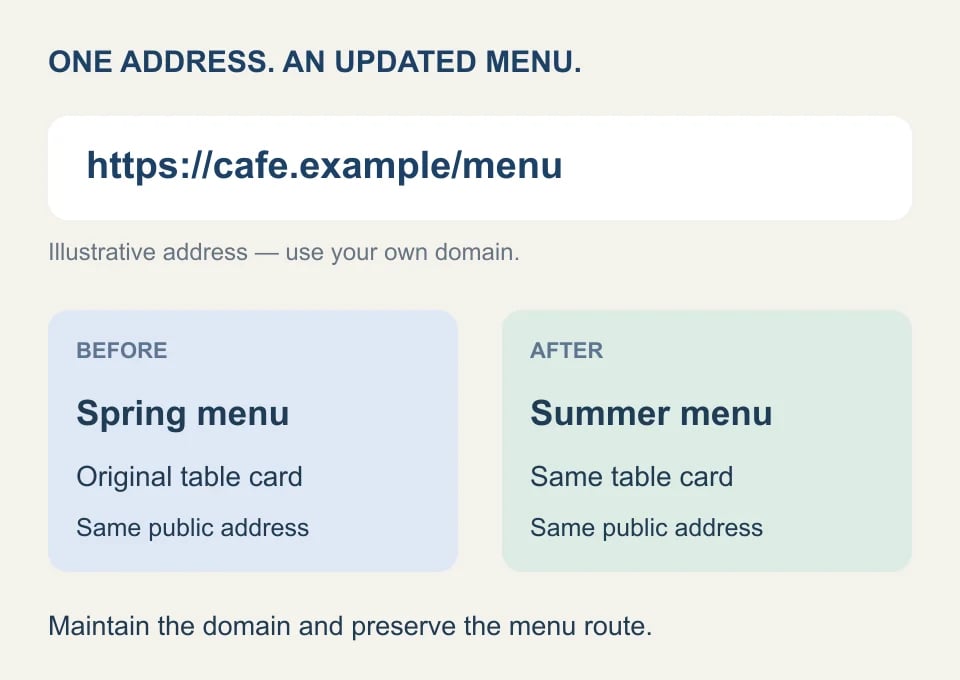
- Choose a lasting address. For example, https://cafe.example/menu communicates the purpose without embedding a season or file version.
- Publish the menu there. A mobile-friendly page can be updated directly, or the route can lead to a maintained PDF.
- Generate and test the code. Confirm the decoded address, open it without signing in, and scan a sample at the intended print size.
- Update behind the same address. Replace the menu content while preserving the public route. Recheck it after every website migration.
A stable route reduces reprinting, but it is not maintenance-free. Someone must keep the website and domain available. Include the menu link in the handover when switching hosts or designers. Keep a readable fallback address on the card so customers can type it if their camera struggles.
A checklist before you send the design to print
Do not judge reliability only from a large on-screen preview. Export the intended file, place it in the actual layout, print a sample on similar material and test from realistic viewing distances. A glossy table card behaves differently from a bright monitor, and a small business card gives the camera fewer pixels to work with.
| Check | What to do |
|---|---|
| Destination | Confirm the exact address and public access without your login |
| Ownership | Record who maintains the domain, page and any redirect |
| Contrast | Keep dark modules on a clear light background |
| Quiet zone | Preserve a clear border of at least four modules for a standard QR code |
| Size and detail | Test the real print size; do not rely on one universal minimum |
| Final export | Scan the exported and printed file, not just the generator preview |
| Continuity | Preserve the route after redesigns and check it periodically |
The quiet zone is the clear area surrounding the pattern. DENSO WAVE specifies a four-module margin on every side. A module is one small square in the grid, so this requirement is relative to the code rather than a fixed number of millimetres. Keep nearby text, borders and illustrations outside that area.
Avoid adding unnecessary information to the payload. A longer address can require a denser pattern for a given encoding and correction setting. Increasing print size may help readability, but test the actual result. An SVG export can preserve sharp edges when resized; a PNG needs enough resolution for its intended use.
Troubleshooting: scan failure or destination failure?
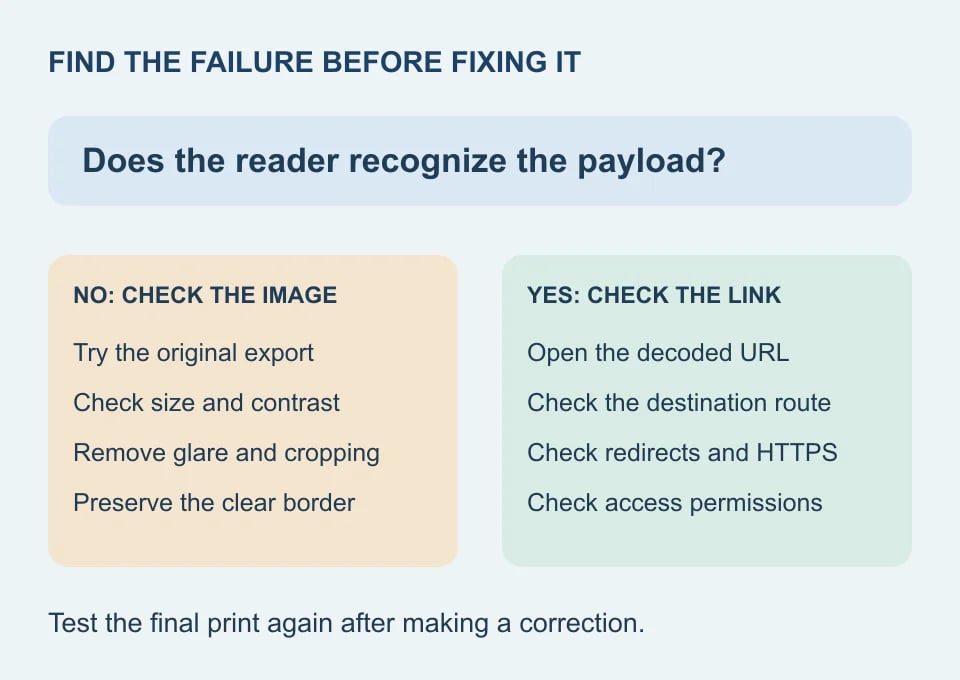
If the camera recognizes nothing, try the original exported image on another screen or device. If that works, inspect the physical print for glare, cropping, distortion and inadequate size. If the original also fails, check how the image was generated or altered. Avoid repeatedly changing the website when the reader has not decoded an address yet.
If the reader shows a URL but the page fails, copy that URL and open it directly. Check redirects, the destination route, HTTPS and access permissions. If one device succeeds and another fails, compare network access and browser sessions. Record the exact error instead of reducing every failure to “expired.”
Using Genory for a static QR code
The Genory QR Code Generator creates static codes locally in your browser. It does not host an editable redirect service. Choose the appropriate content type, check the entered values and test the result. PNG and SVG export are available with Pro or Developer access; see current plans for access details.
Local generation does not make the encoded information secret. A person who can read a Wi-Fi QR code can obtain its stored credentials. Scanning a website code also contacts the encoded destination and any redirect it uses. Choose content that is appropriate for the people who will see the printed material.
Frequently asked questions
Will my code stop working if I close the generator?
A saved static image can be decoded independently of the page that created it. Closing that generator is different from losing access to the encoded destination. If the image contains a third-party redirect, that redirect still needs to operate.
Is a free QR code permanent?
Price does not establish longevity. Inspect the payload and any provider conditions. A direct address on your own maintained domain may be suitable for long-term use, while a temporary link can fail regardless of what the generator cost.
Can a QR code work without internet access?
A compatible reader can decode locally stored information such as plain text without fetching a website. Opening a web destination normally needs network access. Successful decoding and successfully retrieving an online resource are separate steps.
How often should I check printed codes?
Check before printing, after changes to the website or redirect, and periodically while the material remains in use. Choose a review schedule that reflects the consequence of a broken link. Keep an inventory of the printed location, encoded address and responsible person so checks remain practical.