
Random passwords, passphrases and PINs: choosing the right format
Choose password length, character sets or random words with a clear understanding of compatibility and generator estimates.
Choose the credential for the task
A password generator is most useful when you understand the system that will accept its output. A website password, a memorable vault passphrase and a device PIN have different constraints. Some services accept long strings with punctuation; others impose a limited character set. A PIN is usually designed to work with protections that limit guessing attempts. Treating all three as interchangeable can produce a credential that is difficult to use or inappropriate for its destination.
Start by checking the destination's requirements. Then use a generator that makes its choices visible: length, character types and, for passphrases, word count. Genory's password generator offers random passwords, memorable word sequences and numeric PINs. It uses the existing API and plan allowance. The interface describes that server-based workflow rather than claiming that generation happens only inside the browser.
Random passwords and character choices
For a password you will store in a password manager, memorability is usually less important than compatibility and adequate randomness. A longer random string can be practical because the manager fills it for you. Choose the character types accepted by the service, then generate a fresh value for that account. Do not repeatedly edit generated output into a familiar personal pattern; that defeats the purpose of having the generator choose it.
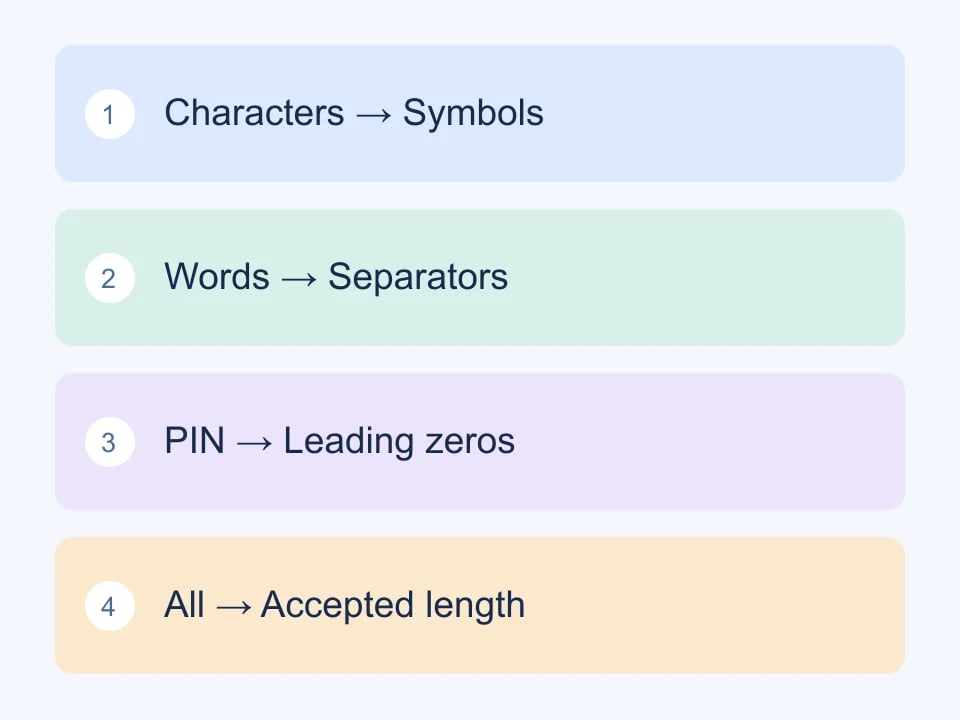
Character switches should have predictable meaning. If you select uppercase letters, lowercase letters, numbers and symbols, Genory includes at least one character from each selected group. If you turn a group off, its characters are excluded. The option to avoid similar characters removes easily confused examples such as uppercase O and zero, which can be helpful when a value must be read or typed manually.
Length is a usability decision too
A very long password is only useful if the destination handles it correctly. Test whether the service preserves the entire value and whether mobile entry remains usable. For your own application, avoid silently truncating input. A user who saves a generated password expects the stored credential to correspond to the complete string they supplied, not an undocumented prefix.
Developers can test these behaviours with dedicated test accounts. Exercise the minimum and maximum accepted lengths, paste a value containing supported symbols, and verify that changing a single character causes authentication to fail. Keep those test credentials separate from real accounts and remove temporary test access when the exercise is complete.
Memorable passphrases use independent words
A passphrase can be easier to remember than a punctuation-heavy string, but not every sentence is a strong passphrase. A familiar quotation, song lyric or personal saying is chosen from a much smaller and more predictable space than a sequence of independently selected words. The useful property comes from the random selection process, not merely from including spaces between dictionary words.
The Electronic Frontier Foundation's passphrase guide describes a practical method using independent word selections. Genory uses an adapted version of its long word list and offers word count, separator and capitalization controls. Six randomly chosen words provide a substantially different search space from four; adding predictable capitalization is chiefly a formatting choice, not a substitute for additional random choices.
A phrase that is easy to remember should still be chosen by a random process, not from your personal history.
Decide where you will use the phrase
Passphrases are especially convenient when you need to type a credential yourself. Consider keyboard layout, spaces and punctuation on the devices you use. Choose a separator the destination accepts and keep the generated sequence intact. If you change the word order into a meaningful sentence, you are applying your own pattern to a process that was intended to make independent choices.
Store recovery information according to the product's instructions. A memorable phrase is not useful if you lose the only way to recover an important account. Conversely, putting a credential into a shared note or screenshot can expose it regardless of how it was generated. The generation step is only one part of handling a credential safely.
Understand the strength indicator
Genory displays a randomness estimate derived from its generation settings. This is not a measurement of a particular website's security, and it is not a promised time to crack the result. Real outcomes depend on factors outside the generator, including how a service stores passwords, whether guessing is limited, and whether the credential is exposed through another route.
Read the estimate as a way to compare generator choices under the same model. Increasing the number of independently selected characters or words increases the available output space. A short numeric PIN has a much smaller space than a long mixed-character password. That does not mean a well-designed device PIN mechanism is equivalent to an unrestricted remote password field; the surrounding controls matter.
PINs belong to systems that expect PINs
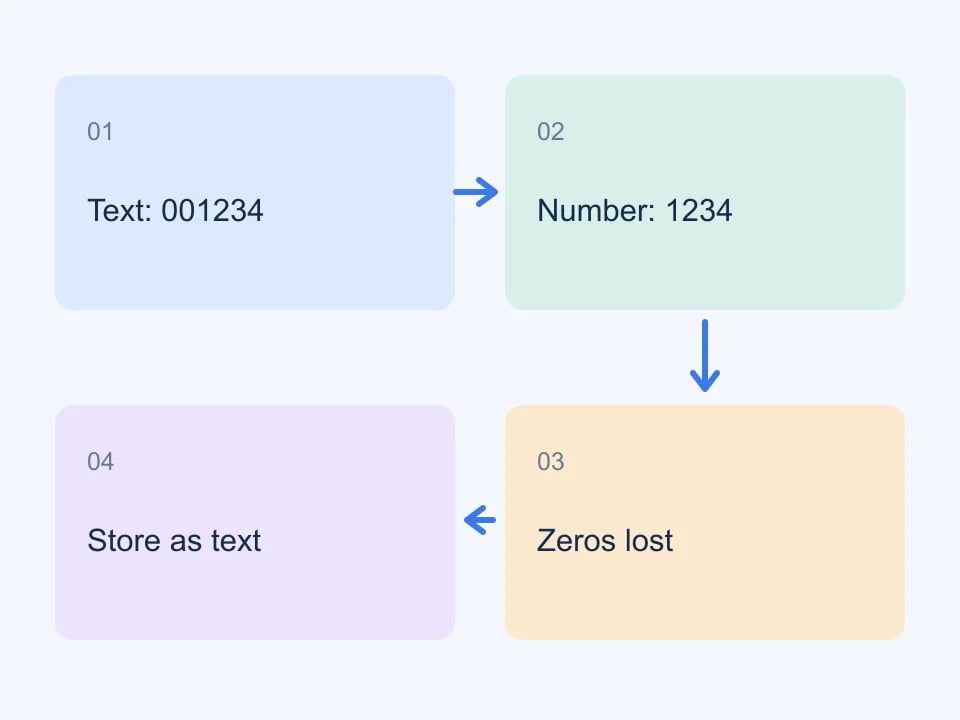
Use a PIN when a product explicitly requires one. Keep leading zeros if they are generated, since a PIN is an identifier string rather than a quantity to calculate with. An application that converts a six-digit PIN to a number might accidentally discard its leading zero. This is a useful edge case for developers testing authentication forms and database fields.
Do not reuse a generated PIN as an ordinary account password simply because it is convenient to type. Follow the destination's guidance about length and recovery. If you are designing a PIN workflow, document its retry limits, lockout behaviour and recovery path alongside the form itself. Those parts of the design determine how the small numeric space is protected.
A repeatable credential workflow
Check requirements, choose a suitable type, generate once, save it in the intended password manager, and use the value only for the account or purpose it was created for. Copying is convenient, but avoid leaving credentials in shared documents or support tickets. Screenshots used for a design review should show disposable examples rather than credentials for live services.
For development teams, add credential handling to your fixture checklist. Document which accounts are test-only, how access is revoked and where automated tests obtain their secrets. A generator helps remove predictable choices from the creation step. Clear storage, recovery and account-management practices make that benefit useful throughout the rest of the credential's lifetime.
| Format | Test focus |
|---|---|
| Random characters | Length and allowed symbols |
| Passphrase | Word boundaries and field length |
| PIN | Leading zeros and attempt limits |